Requisitions
Guided intake with configurable fields, attachments, supplier and service lookup, and routing to the right teams.
Procurement & procure-to-pay software
Questr takes a purchase from the first request to the paid invoice. Employees get one guided way in. Procurement, finance and approvers see the same request, purchase order and invoice, and budgets update from real spend instead of a spreadsheet.
Why it matters
A requisition becomes a supplier, a contract, a purchase order and an invoice, and Questr keeps the links between them. Anyone can see where a request is, who has it and what it is waiting on, without asking.
Employees describe what they need on a form your administrators configure: which fields show, which are required and in what order. They can pick an existing supplier and service, or buy straight from the catalog. Procurement then sends the request to the teams that act on it, such as vendor onboarding, legal, sourcing or project management.
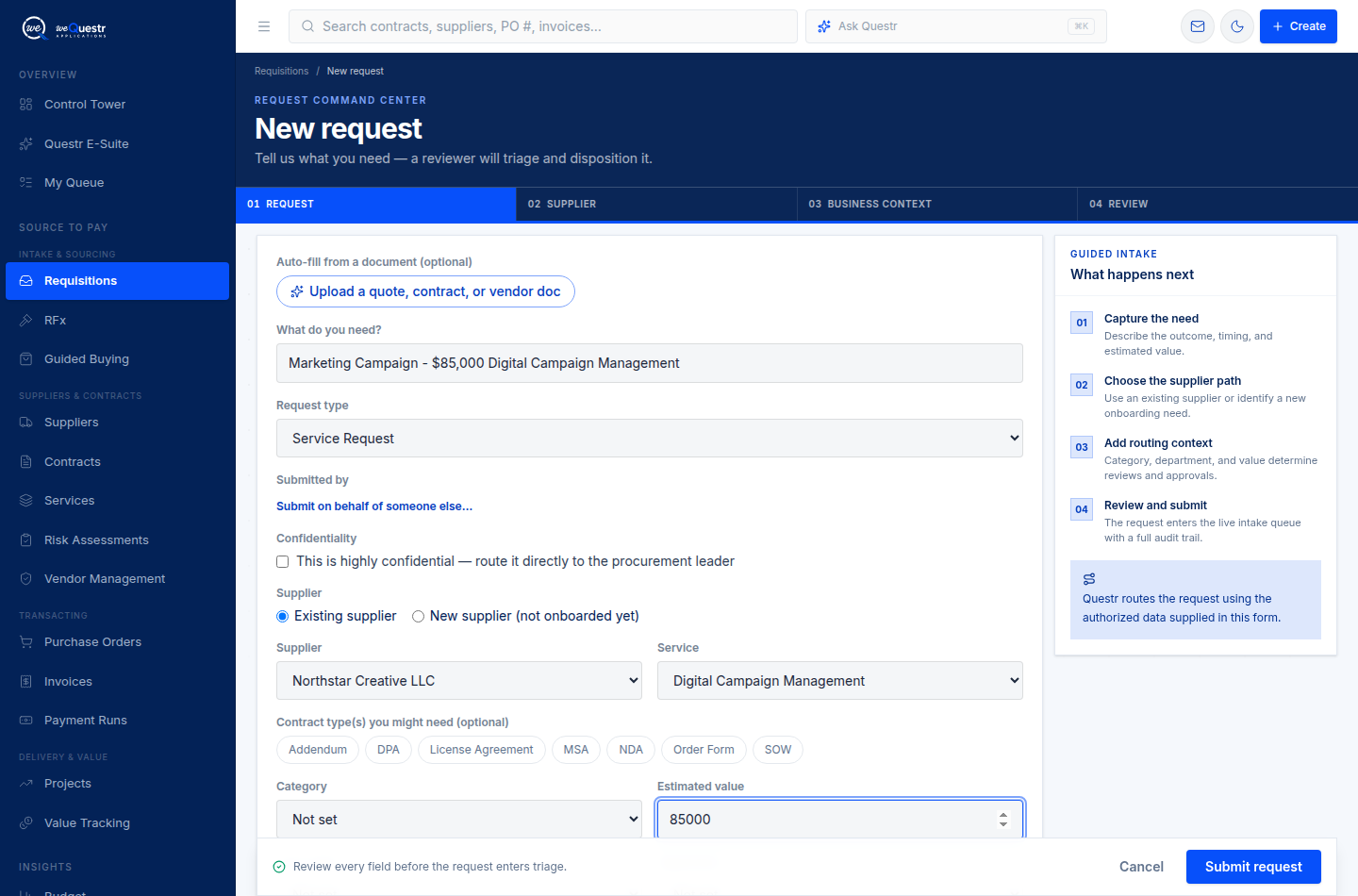
A structured request with supplier, business context and review steps in one workspace.
Purchase orders go through approval chains that can change with the amount. Approved orders go out as branded PDFs with your logo and terms, and the supplier's emailed replies and attachments are filed back on the order. Billing schedules set out when each invoice is expected.
Each invoice is checked against its purchase order. Overages and early billing are flagged, and invoices can be put on hold or disputed with a reason. Payment runs gather approved invoices. Budget committed and spent amounts are calculated live from real purchase orders and invoices, so they can't drift.
Capabilities
Guided intake with configurable fields, attachments, supplier and service lookup, and routing to the right teams.
A catalog of approved items from your suppliers, with requests submitted straight into intake.
Single, sequential and amount-based approval chains that administrators change without a release.
Line items, billing schedules, branded PDFs, supplier email and replies filed on the order.
Matching to the purchase order, holds, exceptions, disputes and payment runs.
Budgets by category with live committed and spent amounts, plus forecasts from real spend.
Questions
Procurement software manages how an organisation buys: taking requests, choosing suppliers, approving spend, raising purchase orders and paying invoices. Questr covers that process and links it to contracts, vendor management, risk and value tracking.
Procure-to-pay is the full process from a business need to a paid invoice: requisition, approval, purchase order, receipt of goods or services, invoice and payment. Questr keeps each step linked to the one before it.
Yes. Administrators can set one approver, several approvers in order, or different chains for different amounts. A chain already in progress keeps the steps it started with, even if the settings change later.
Not necessarily. Many teams keep their ERP for accounting and use Questr for intake, sourcing, contracts, vendor management and the purchase order and invoice workflow around them. During implementation we agree which system owns which records.
We'll walk through how Questr would fit the way your teams already work.
Request a working session